Weather Proxies
Lots of good GA fields have no METAR, no TAF, or only one of the two. PlaneWX picks a nearby station so you still get observations and forecasts, and you can change the pick.
When this matters
The airport's own station comes first, including ICAO siblings such as P52 and KP52. A METAR proxy fills in when a product is missing or the own report is not current. For TAF, a proxy fills in when the airport has no TAF of its own. Airports with both products native never ask you for a proxy.
When a proxy is in use, PlaneWX shows a disclosure in plain wording:
- Using {proxy}{dist} (your preferred station for {own})
- Using {proxy}{dist}, because {own} has no METAR site
- Using {proxy}{dist}, because {own} has no current report
- No current report from {own}
For example: Using KSEZ, 14 NM away, because KP52 has no current report.
Proxy weather is still someone else’s field. Valley fog, terrain wind, and lake effect can miss the proxy. You're PIC. This is decision support. You make the call.
When the destination has no TAF of its own, nearby fog, mist, or IFR reports can show as an unscored heads-up in Ceilings & Visibility. You decide how to use that information, and it isn't a score input.
Add Trip: pick on the way in
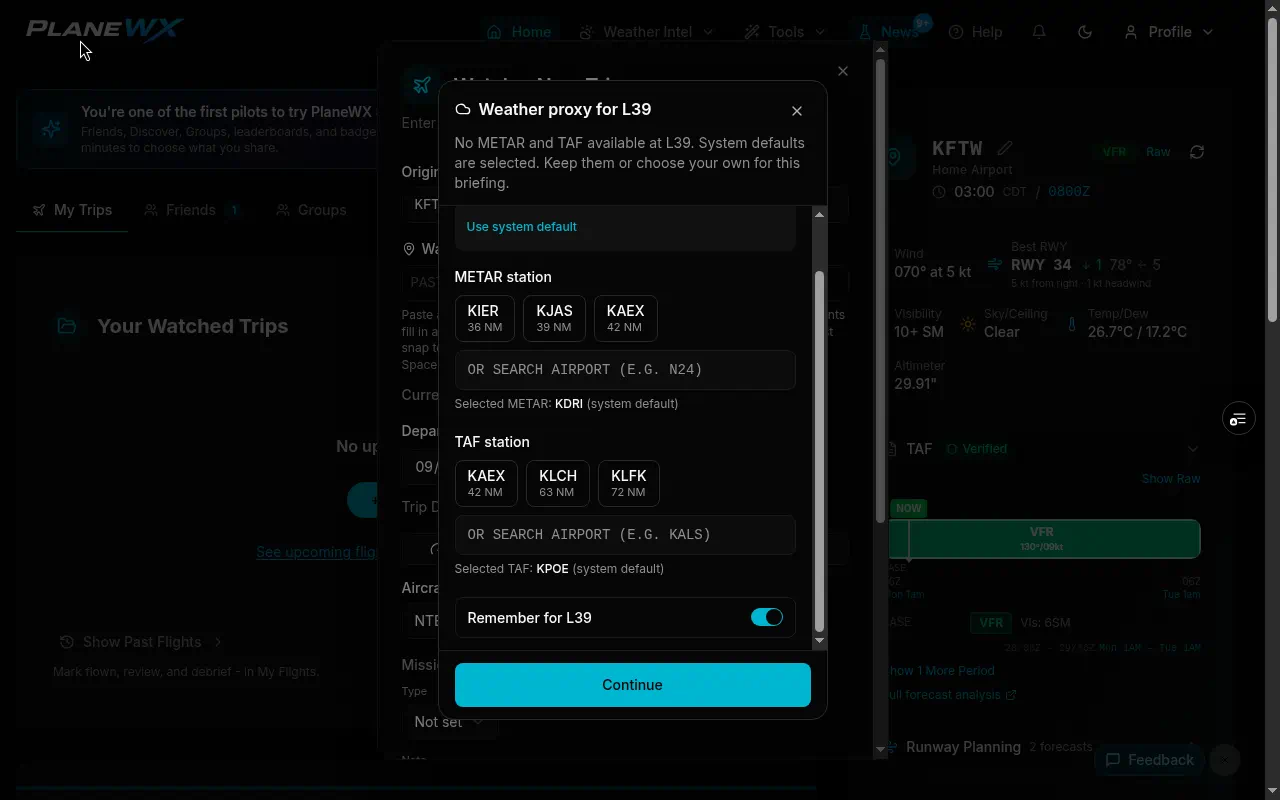
When you open Watch a New Trip and origin or destination validates with a METAR and/or TAF hole, PlaneWX opens a dialog titled Weather proxy for that airport (origin first, then destination if both need it).
- System defaults are pre-selected. You can tap Use system default to restore them.
- Pick another nearby station, or keep the system default.
- Remember for that airport is off by default. Check it if you want Continue to save the picks for future briefings of that field. Leave it unchecked to apply the picks to this trip only. If you already saved a preference for that airport, the box starts checked.
A far pick still saves. If the station is beyond the ring, PlaneWX asks Use anyway first (rings are 80 NM for TAF and 50 NM for METAR, measured from the served airport). Pressing Continue while that question is showing counts as Use anyway. The same picker is used in Preferences, Weather Proxies, Edit.
Home airport is not special here. If home has a hole, you get the same dialog when Add Trip opens with home pre-filled.
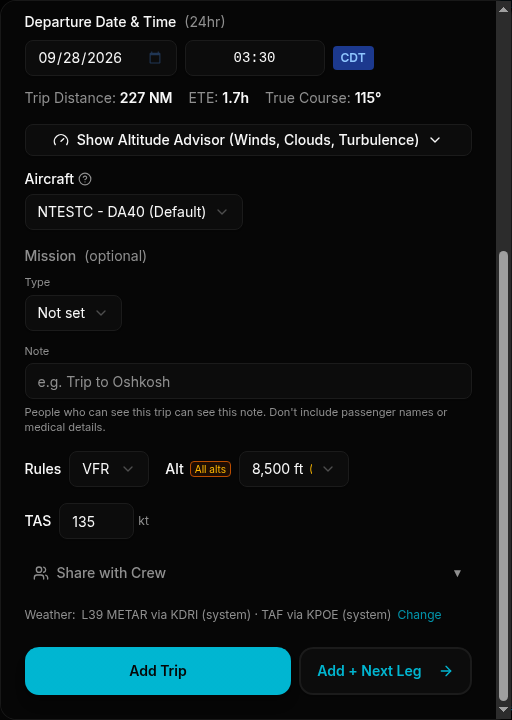
Weather line above the Add Trip button
After origin and destination are set (whether you finished the dialog or Remember skipped it), a quiet one-liner sits above the Add Trip button (and Add + Next Leg when that control is shown):
- (saved): a Remember preference is in play. If your saved station is the same as the system default, the line still shows (saved).
- (system): the system default mapping (or you kept the system default in the dialog for this trip)
- (your pick): you chose a station other than the system default for this trip only
- Change opens that airport's proxy dialog again
- Native airports stay off the line. When both ends are native, there is no Weather line at all.
Home Airport card: Change and Reset
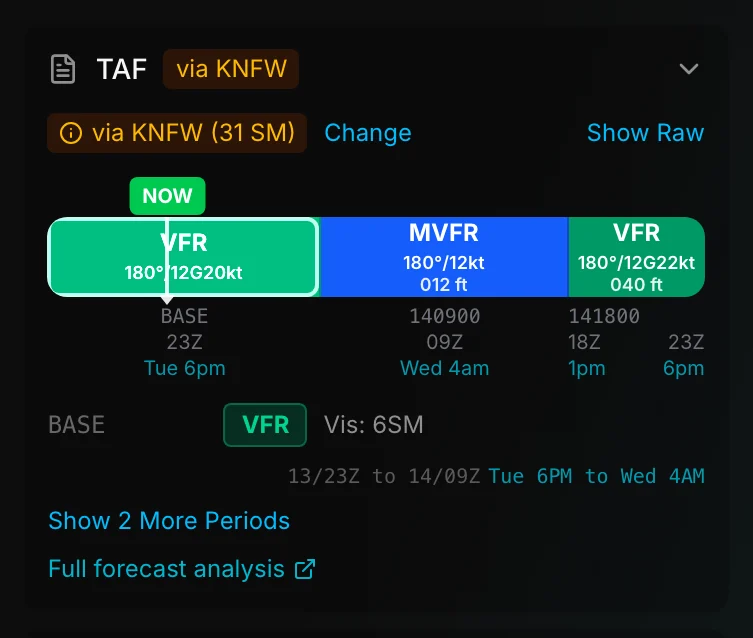
On the home page Home Airport weather card, Change still picks a nearby station. The preferred METAR is used when the airport's own station has no current report or has no METAR site; while the own station is reporting, its own METAR is shown. The empty card reads No current weather report. Reset preferred station clears a pin that returns nothing, so PlaneWX tries the own station first, then the automatic proxy. The TAF proxy Change and Reset work the same way when the airport has no own TAF.
Cancel closes the editor without changing the saved pick.
On the briefing: disclosures
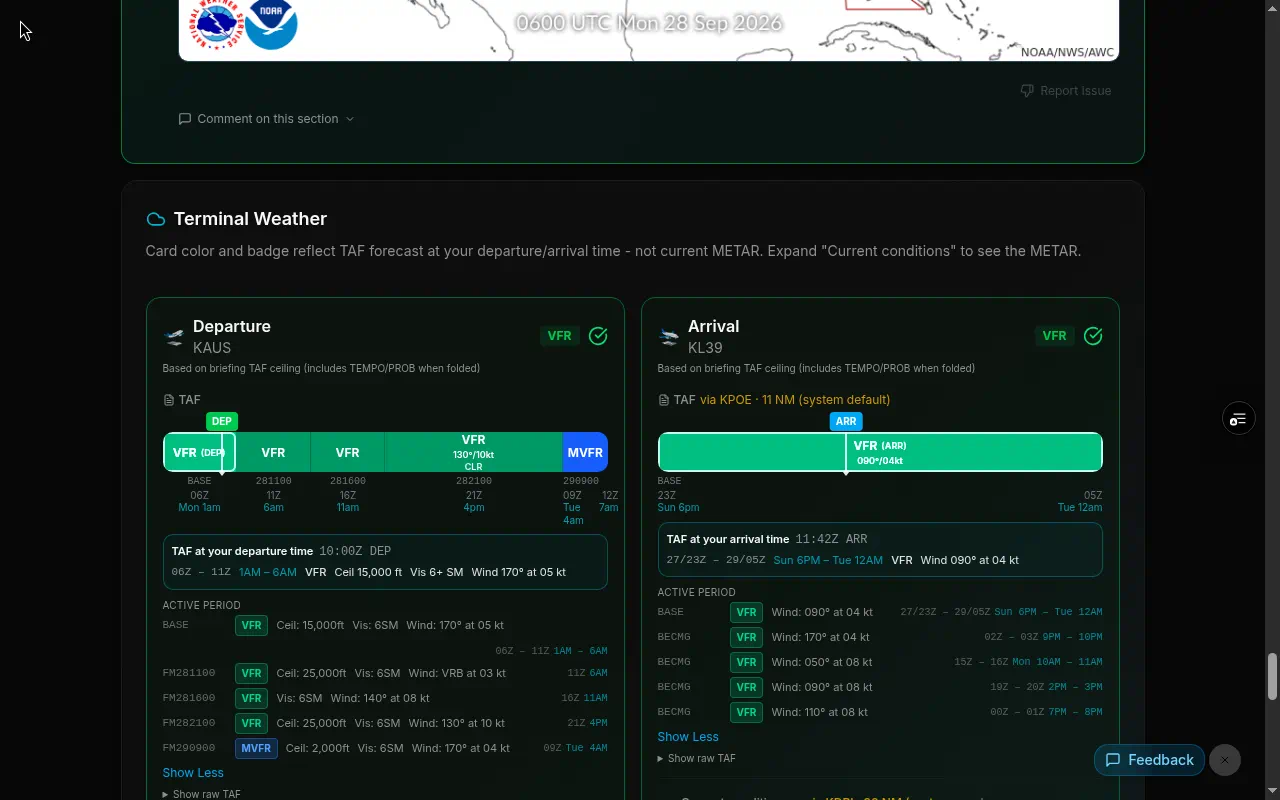
Proxy use is labeled, not buried. The briefing shows a Proxy weather: line at the top (for example, Proxy weather: L39 METAR via KDRI · 20 NM (system default)). Terminal cards use the same provenance words: (system default) or (your pick).
- Score gotchas when proxy weather drives a deduction (ceiling, visibility, sustained crosswind, and gust lines name the proxy station and distance when known)
- Ceilings & visibility
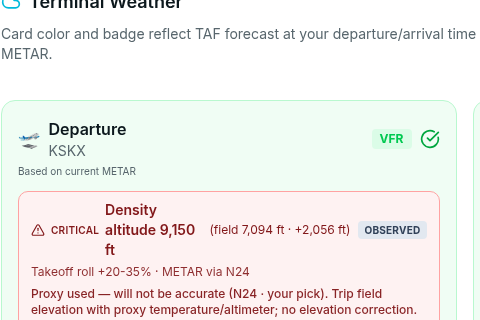
- Terminal weather: each card labels the proxy station with via plus distance when known (for example, via KDRI · 20 NM (system default))
- Density altitude: when METAR is proxied, shows a Proxy used note that density altitude will not be accurate (local field elevation with another airport's temperature and altimeter)
- Wind / runway analysis when the observation is proxied
- Email and print briefings carry the same via / provenance wording

METAR vs TAF: often different fields
The nearest AWOS may not issue a TAF. PlaneWX can use one station for METAR and another for TAF. That's intentional: closest product for each hole.
What this is not
- Not a promise that conditions at the proxy match your field.
- Not a substitute for calling the FBO, checking cams, or your own judgment.
- Not an order. The WX Score is decision support. You decide.
Related
- Creating a Trip: Watch a New Trip flow
- Understanding Briefings: reading terminal weather and gotchas
- WX Score: how the score fits personal minimums
- International Airports: coverage outside the US